
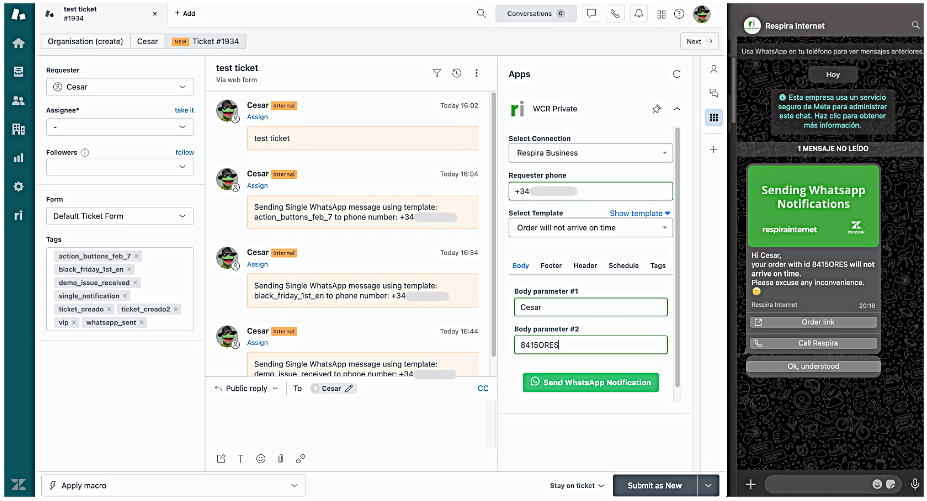
1. The Agent Sidebar App: Proactive Messaging Made Simple.
Stop waiting for customers to contact you. Empower your agents to initiate conversations proactively from their workspace.
- Native Interface: WCR sits inside the Zendesk Agent Workspace - sidebar. No new windows, no lost context.
- One-Click Templates: Select pre-approved WhatsApp Business Templates and send them to the customer in seconds.
- Ticket integration: Automatically pull customer phone number from the ticket, to avoid errors.
- Internal Context: Every outbound message is logged in the ticket, ensuring your entire team has the full conversation history.
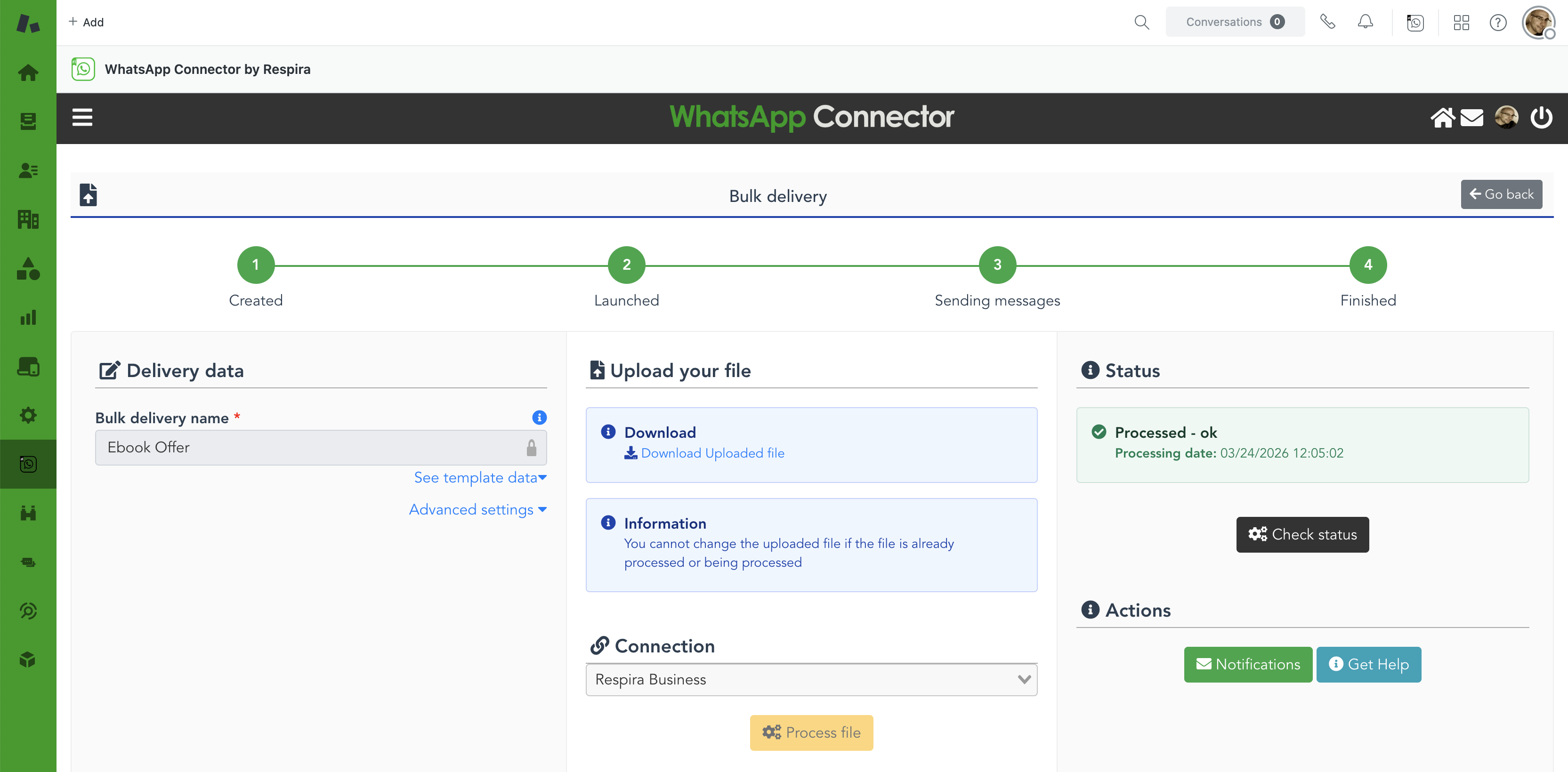
2. Bulk Messaging: Reach Thousands with Ease.
The easiest way to send massive notifications without complex API setups. Perfect for marketing, service alerts, or operational updates.
- Excel & CSV Uploads: Simply fill in a template file or upload a CSV from other system.
- Scheduled Campaigns: Send immediately or schedule your notifications for the perfect time—even outside of office hours.
- Progress notification: Be notified when all the messages have been sent.
- Optional ticket creation: Optionally, create tickets for every message so that you can follow up inside Zendesk.
- Advanced reporting: Track the status of every notification. React quickly in case there is an incident.
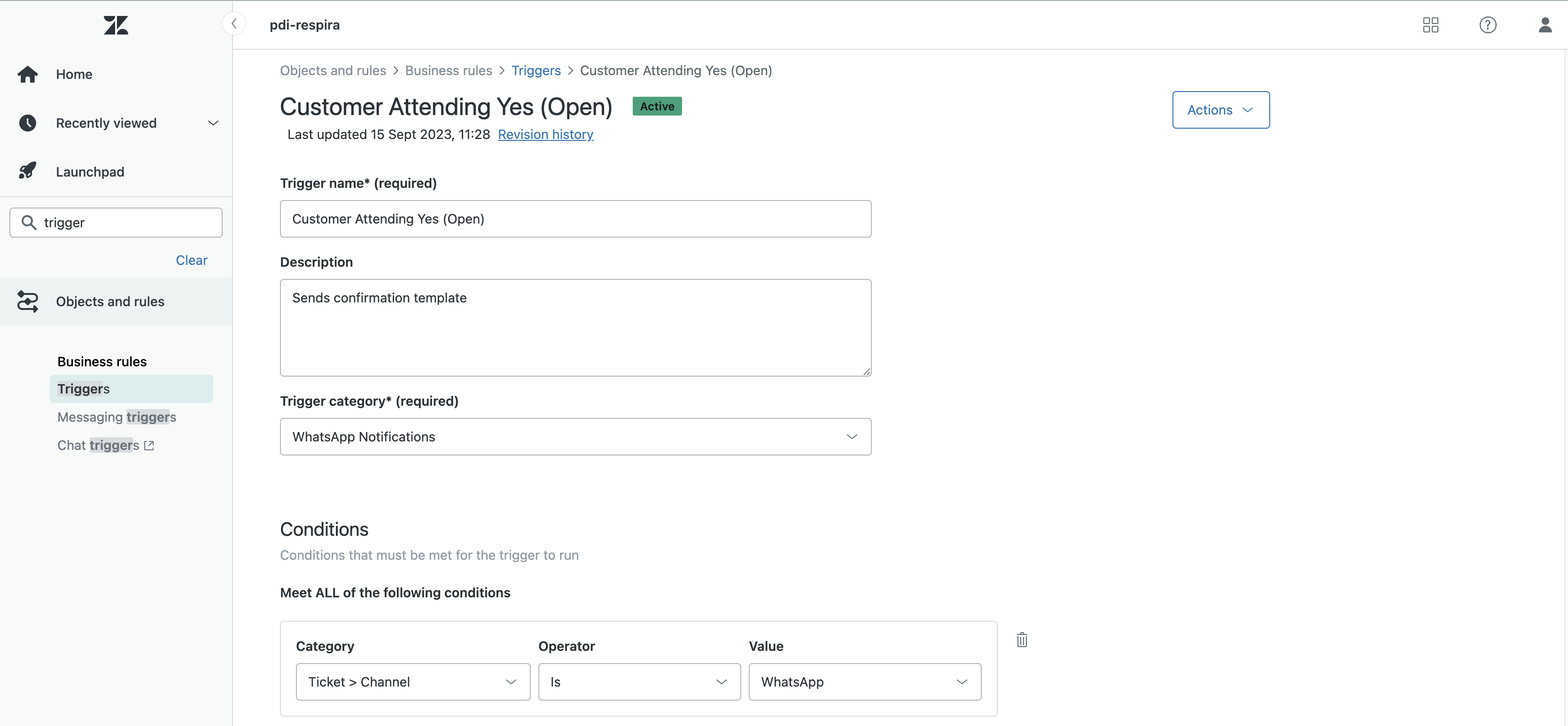
3. Workflow Integration: Automations & Triggers.
Turn your Zendesk into an autonomous communication engine. If Zendesk can trigger it, WCR can send it.
- Trigger-Based Sends: Send a WhatsApp notification automatically when a ticket status changes, a priority is escalated, or a tag is added.
- Custom Macros: Create "Power Macros" that update a ticket and send a specific WhatsApp template simultaneously.
- The 24-Hour Solution: Use automations to re-open a dialogue with a customer after the standard session window has expired.
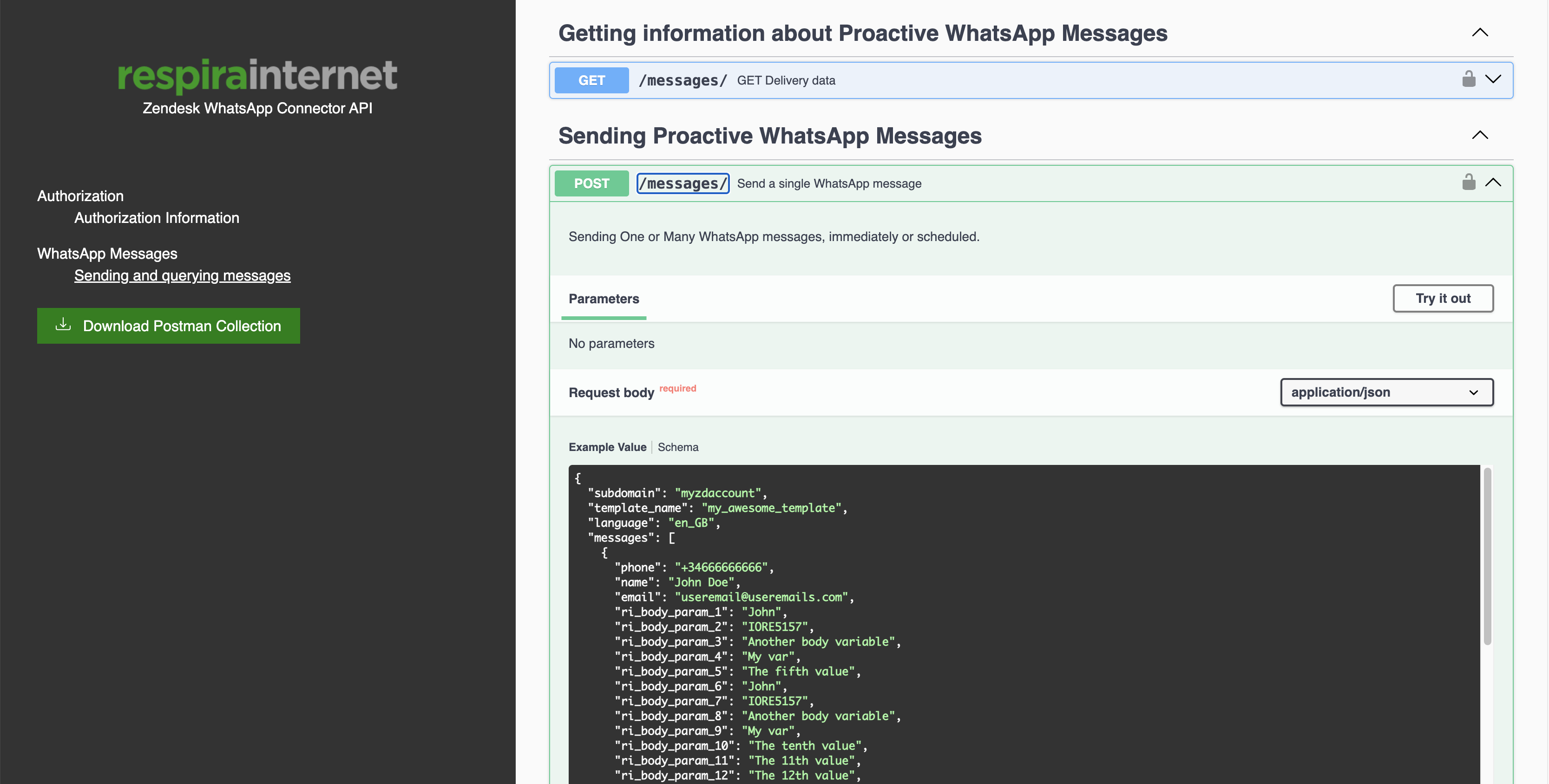
4. The WCR Delivery API: For the Developers.
Connect your entire ecosystem to WhatsApp. Our robust API allows you to trigger messages from outside Zendesk while keeping everything tracked inside.
- CRM & ERP Integration: Trigger shipping updates from your warehouse or appointment reminders from your booking system.
- Webhooks & Automation Tools: Works perfectly with Zapier, n8n, and Make.
- JSON-Based Payloads: Clean, well-documented endpoints for rapid deployment.
- Unified Tracking: Even messages sent via API appear in the corresponding Zendesk ticket for agent visibility.
5. WhatsApp Template Manager: Create, Submit & Reuse.
Stop relying on your Marketing team or the WhatsApp Administrator at business.facebook.com for your WhatsApp templates.
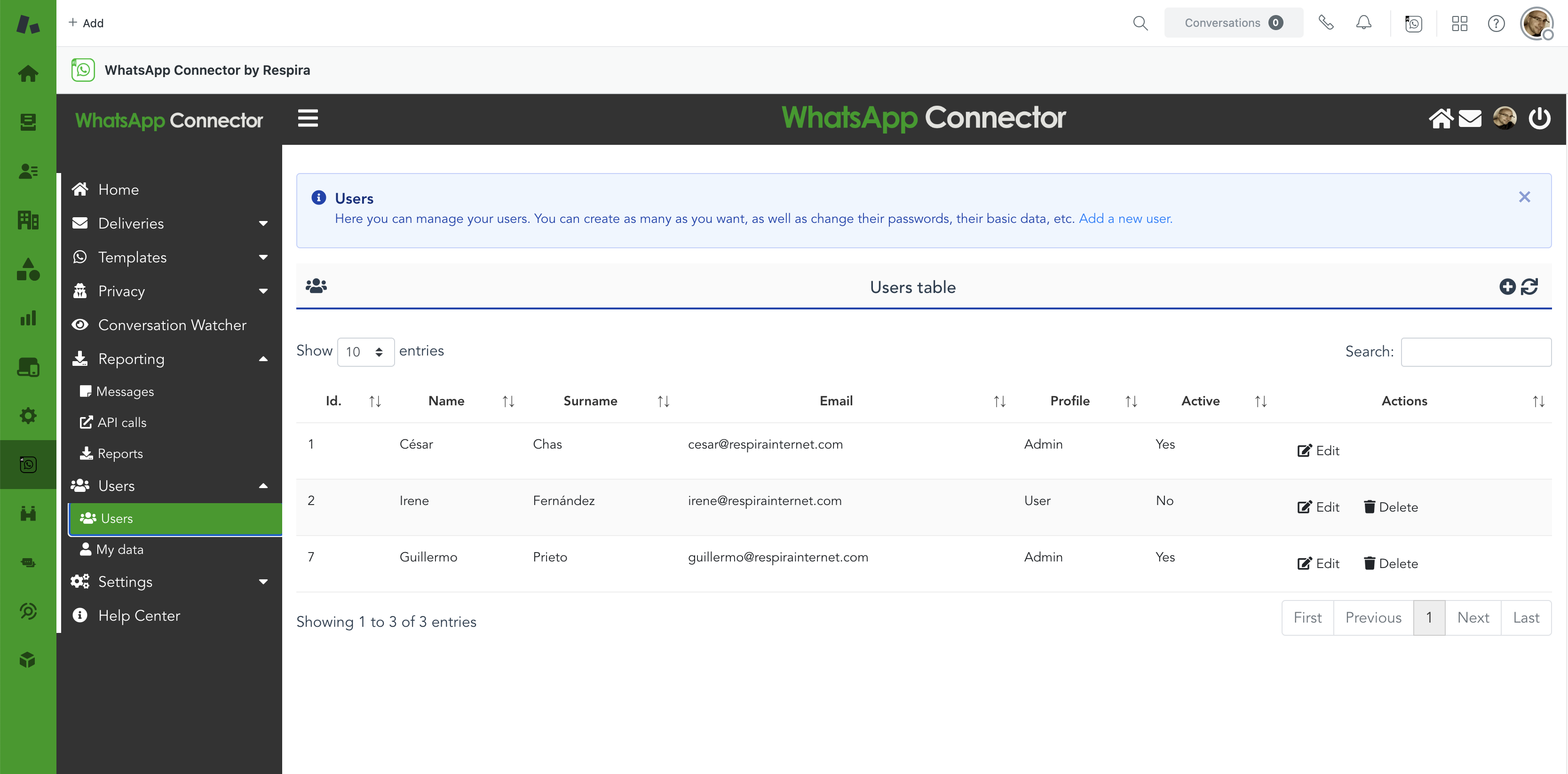
WCR lets you create, submit for approval, syncronize and remove your WhatsApp Business Templates directly from the app.
- In-App Template Editor: Build new templates with rich formatting—body text, headers, footers, and call-to-action buttons—without leaving Zendesk.
- One-Click Meta Submission: Submit templates for WhatsApp approval directly from the interface and track their status in real time.
- Sync Existing Templates: Already have templates approved in Meta? You can create them in WCR too so you start using them right away.
- Multi-Language Support: Create and store templates in multiple languages to reach your global customer base with the right message every time.
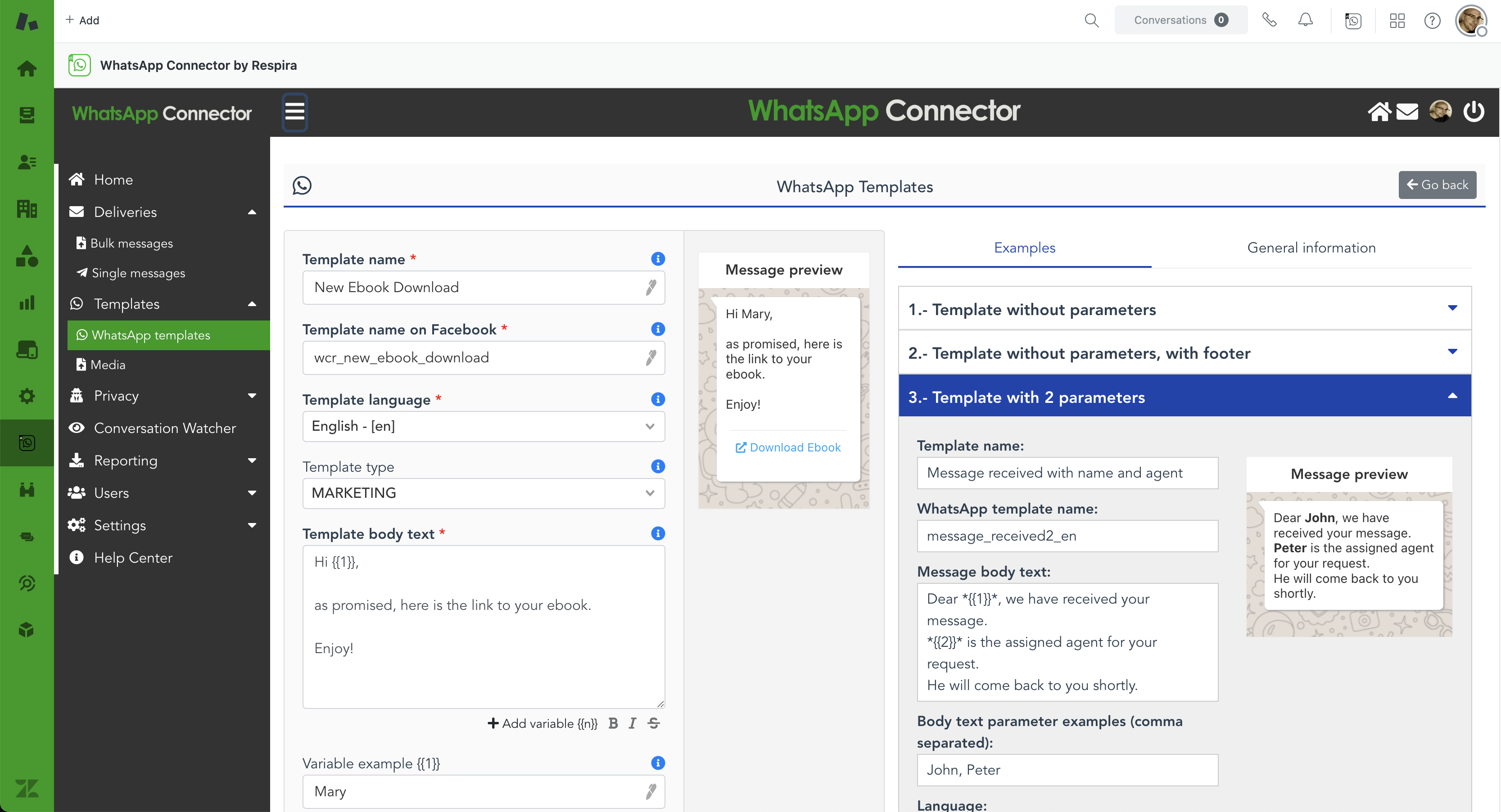
6. Reporting: Know Exactly What Happened to Every Message.
Every message WCR sends is tracked from dispatch to delivery. Get a clear, actionable view of what was sent, what failed, and precisely why—so you can react fast and keep your communication reliable.
- Failure Reasons: When a message fails, WCR tells you exactly why—invalid number, unsubscribed contact, expired template, rate limit hit, and more.
- Filterable Logs: Filter message history by status, date range, template, or agent to zero in on the data you need without scrolling through noise.
- Export Ready: Download reports as CSV for further analysis, compliance audits, or sharing with your operations team.
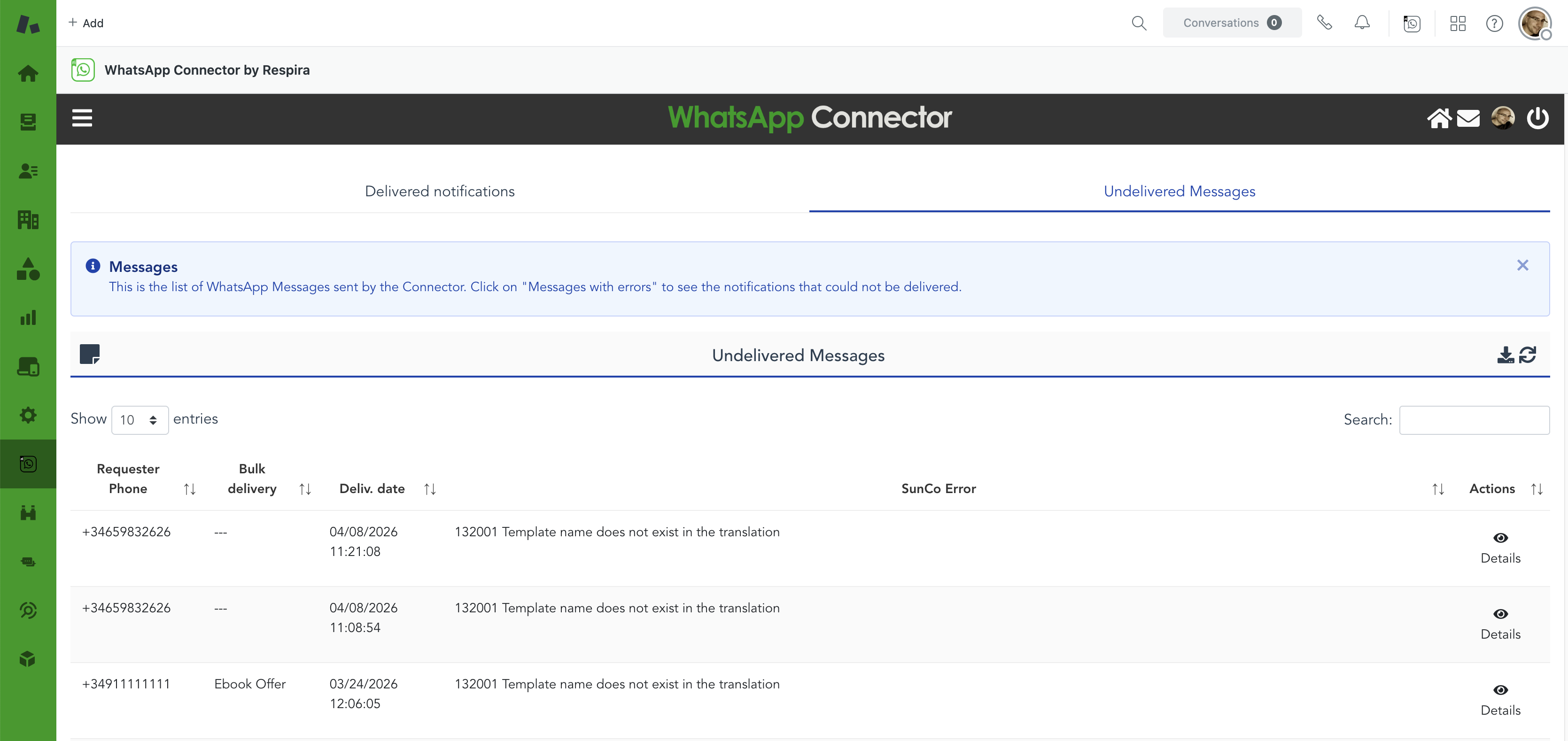
7. Users, Roles & Multi-Line Support.
Give every team member the right level of access and connect as many WhatsApp lines as your operation needs—all managed from a single place.
- Admin & User Roles: Admins control configuration, templates, and settings. Users can send messages within their assigned lines. Each person only sees what they need.
- Unlimited Users: Add as many agents and administrators as your Zendesk team requires, with no arbitrary caps.
- Multiple Phone Numbers: Connect more than one WhatsApp Business line to a single WCR account—ideal for multi-brand, multi-region, or multi-department setups.
- Line Assignment: Specify exactly which users have access to which phone lines. Keep your sales line separate from support, or your regional teams working on their own numbers.
8. Intelligence & Accountability.
Know exactly what is happening with your communication. We don't leave you guessing if your messages worked.
-
Real-Time "Sent" Feedback: Immediate confirmation that your message was successfully pushed through the WhatsApp API.
-
Advanced Error Reporting: If a message fails (invalid number, expired template, etc.), WCR notifies you immediately and provides the reason why.
-
Audit Logs: A complete history of all outbound activity for compliance and performance reviews.
9. Conversation Watcher: Auto-Tag Tickets Based on What Customers Reply.
Turn customer replies into Zendesk actions—automatically. The Conversation Watcher scans your active WhatsApp conversations every 5 minutes and applies tags to tickets whenever a reply matches your rules. No manual review, no missed signals.
-
Rule-Based Matching: Define keyword rules that watch for specific words or phrases in the conversation. When a match is found, the tags you configured are added to the ticket instantly.
-
Automatic Tagging: Tags follow Zendesk's standard format—lowercase with underscores, no spaces—and are applied directly to the ticket, ready to be picked up by triggers, automations, or views—e.g.
interested_buyer,follow_up. -
Built for Proactive Campaigns: Designed to work hand-in-hand with button-based templates. When a customer taps a button (e.g. "Buy"), that word lands in the conversation—and your rule catches it before the agent even needs to look.
10. Security, Privacy & GDPR.
WCR was built with the highest standards of data protection, vetted by Zendesk's own technical experts.
-
Automated Blacklisting: A native "Opt-out" system that ensures you never message a customer who has asked not to receive communications from you.
-
Global Compliance: Engineered to satisfy GDPR, DPA, and CCPA requirements, including one-click data deletion and localized hosting options.
-
Built, mantained and supported by an Official Zendesk Partner: WCR is built and mantained by Respira Internet, an official Zendesk partner, recognised at the highest level for technical quality and implementation expertise.
Ready to see WCR in action?
Start today with 100 free notifications every month.
See for yourself why 200+ companies trust us to bridge the gap between Zendesk and WhatsApp.
Book a demo with our CX expert
Contact us to learn more.