
1. For the Support Agent: The Proactive Sidebar
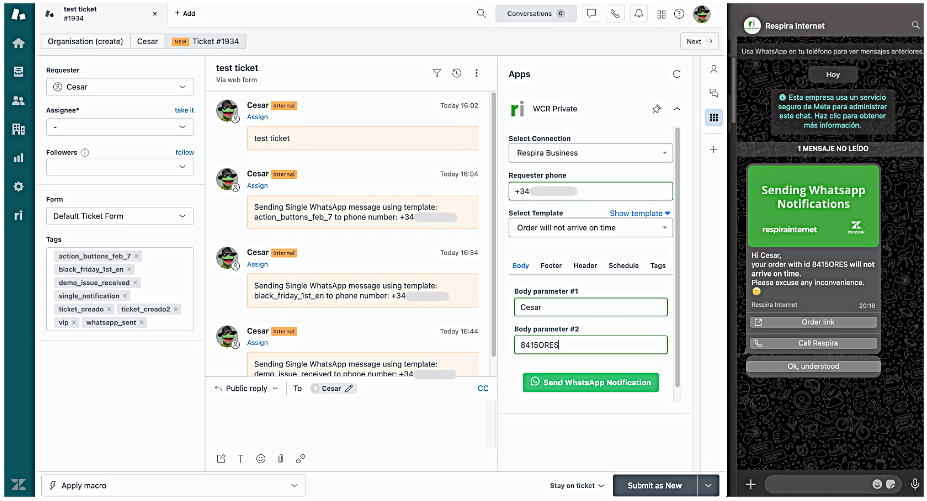
The Agent Sidebar App is the daily command center for your support team. It eliminates the frustration of being "locked out" by the 24-hour rule, allowing agents to stay in control of the conversation.
The Workflow: While viewing a Zendesk ticket, the agent opens the WCR sidebar to send a manual WhatsApp template.
Real-World Example: An agent sees a ticket where a customer hasn't replied in two days. Instead of closing it, they use the sidebar to send a "Follow-up" template. The customer sees it instantly on their phone, replies, and the ticket is resolved.
2. For the Operations Manager: The Bulk Campaign Engine
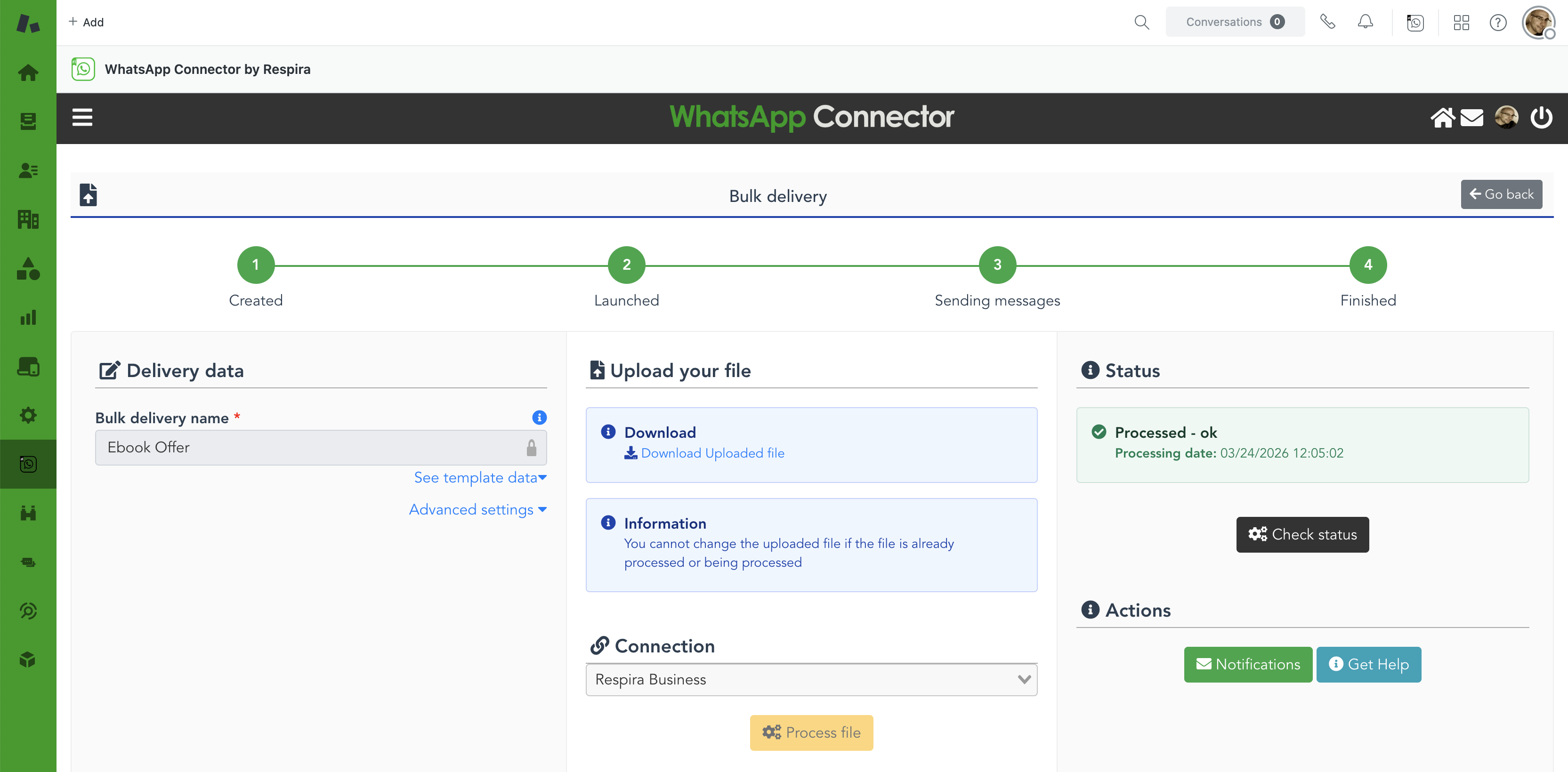
Designed for those who manage scale, the Bulk Messaging tool turns hours of manual work into a three-click process. Built for managers who need to broadcast information without bothering the engineering team.
The Workflow: The manager uploads a CSV/Excel file of contacts, maps the data to a template, and schedules the broadcast.
Real-World Example: A logistics manager needs to notify 800 customers that a storm has delayed their deliveries. They upload the list, send a personalized "Delay Alert" to everyone at once, and avoid 800 incoming "Where is my order?" phone calls.
See it in action: How Reclamador sends bulk WhatsApp notifications to thousands of claimants
3. For the Workflow Architect: Automated Zendesk Triggers
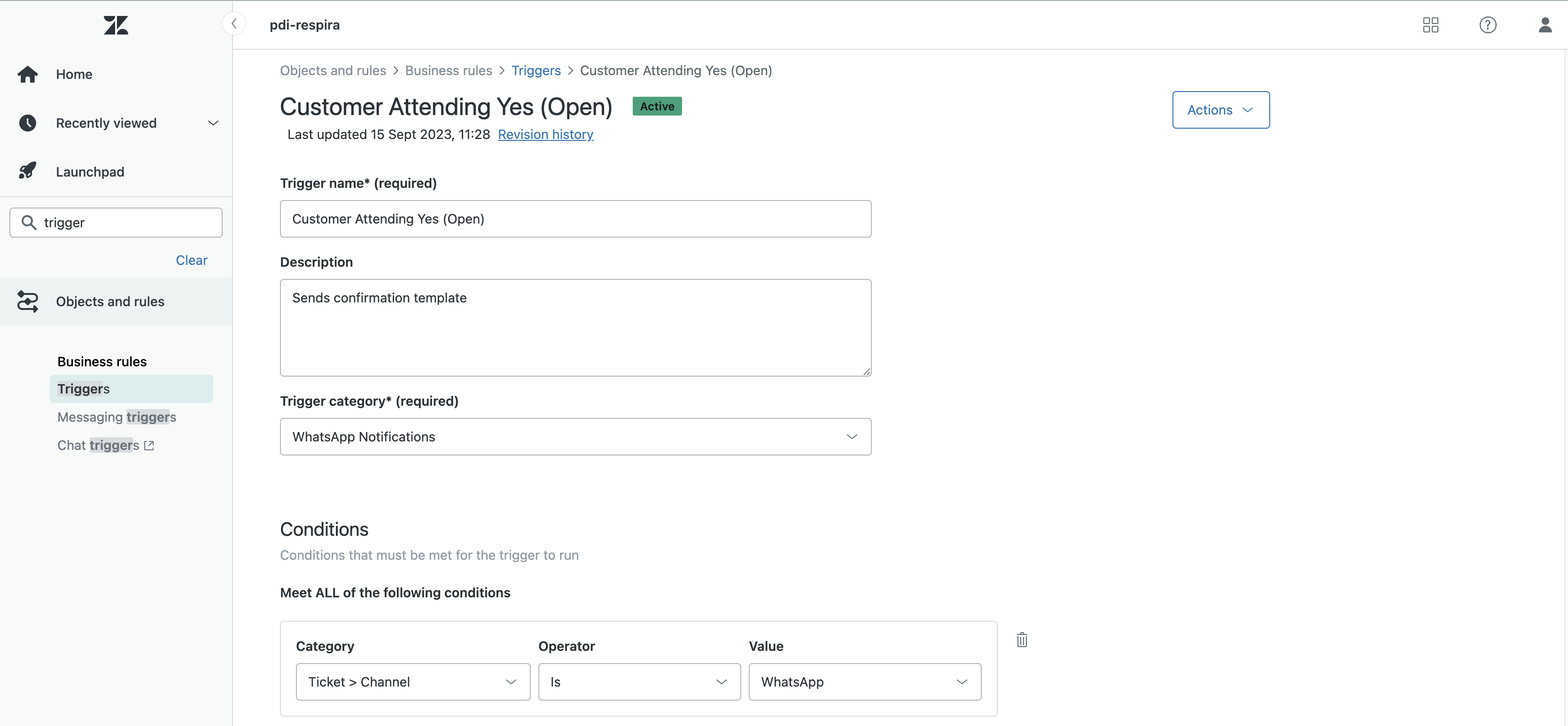
For the person who builds the "logic" of your support. By embedding WCR into Zendesk Triggers, they create a self-running communication engine that operates 24/7 without human intervention.
The Workflow: The architect sets up a Zendesk Trigger that instructs WCR to send a specific WhatsApp template whenever a ticket meets certain criteria.
Real-World Example: When a ticket status is moved to "Shipped" in Zendesk, a trigger automatically sends the customer a WhatsApp message with their tracking link. The agent doesn't have to do a thing.
See it in action: How Olalá Homes automates guest notifications from reservation to check-out
4. For the Tech Lead & Developer: The Delivery API
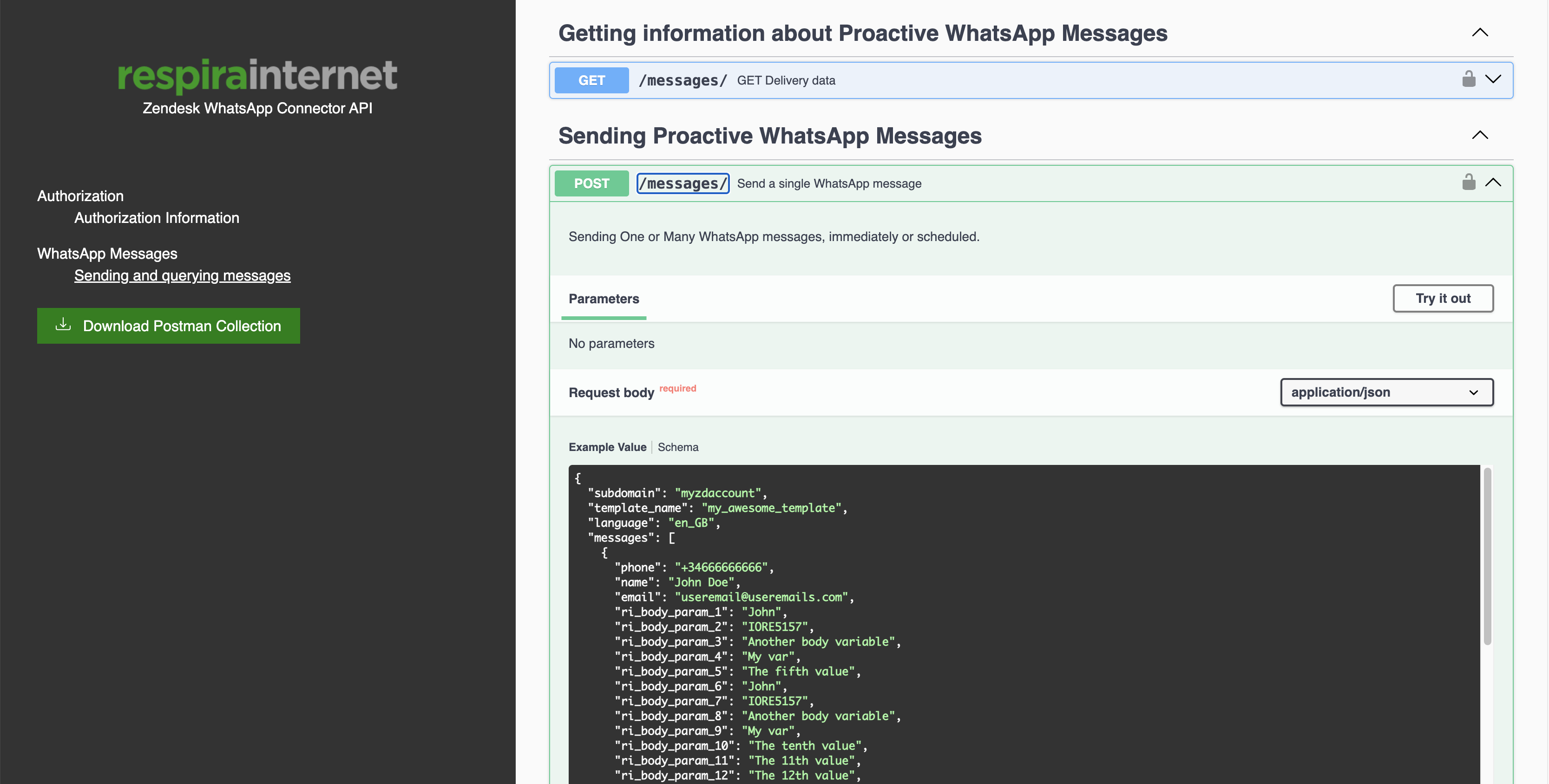
The API is for the technical team that needs to connect the company's entire software ecosystem to the world's most popular messaging app. Built for reliability, visibility, and deep integration.
The Workflow: The developer connects the company's backend (ERP/CRM) to the WCR API to trigger messages based on external data.
Real-World Example: A fintech developer connects their security system to the WCR API. When a suspicious login is detected, the system triggers a "Security Alert" via WhatsApp. Because it's WCR, a Zendesk ticket is automatically created so the security team can follow up if the customer replies.
See it in action: How Reclamador uses the WCR API to trigger messages at every stage of a claim
Do you have a complex use case?
If your use case is complicated, our experts are there to help. We specialize in custom integrations and complex workflows tailored to your unique business needs.
Schedule a Meeting with our CX expert